





Webhooks
Fantastical offers webhooks to send information to a URL whenever a trigger occurs. You can set up your webhooks directly in your Flexibits Account by selecting the Add Webhook option, and are allowed to have 10 added to your account at a time.
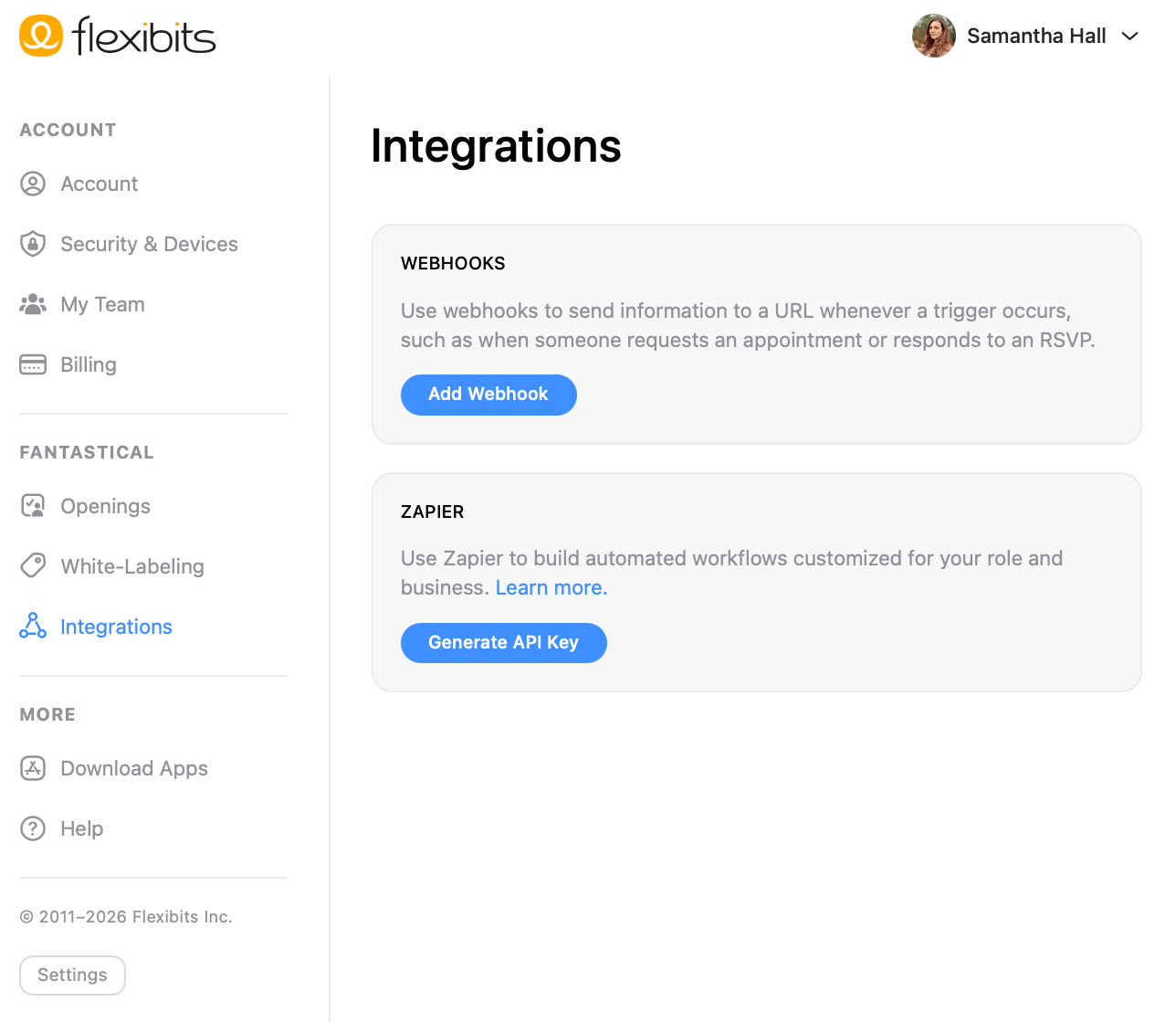
Here you will be able to choose the trigger, set the URL to call when the trigger occurs, set a secret for the webhook, and test to make sure it is working correctly.
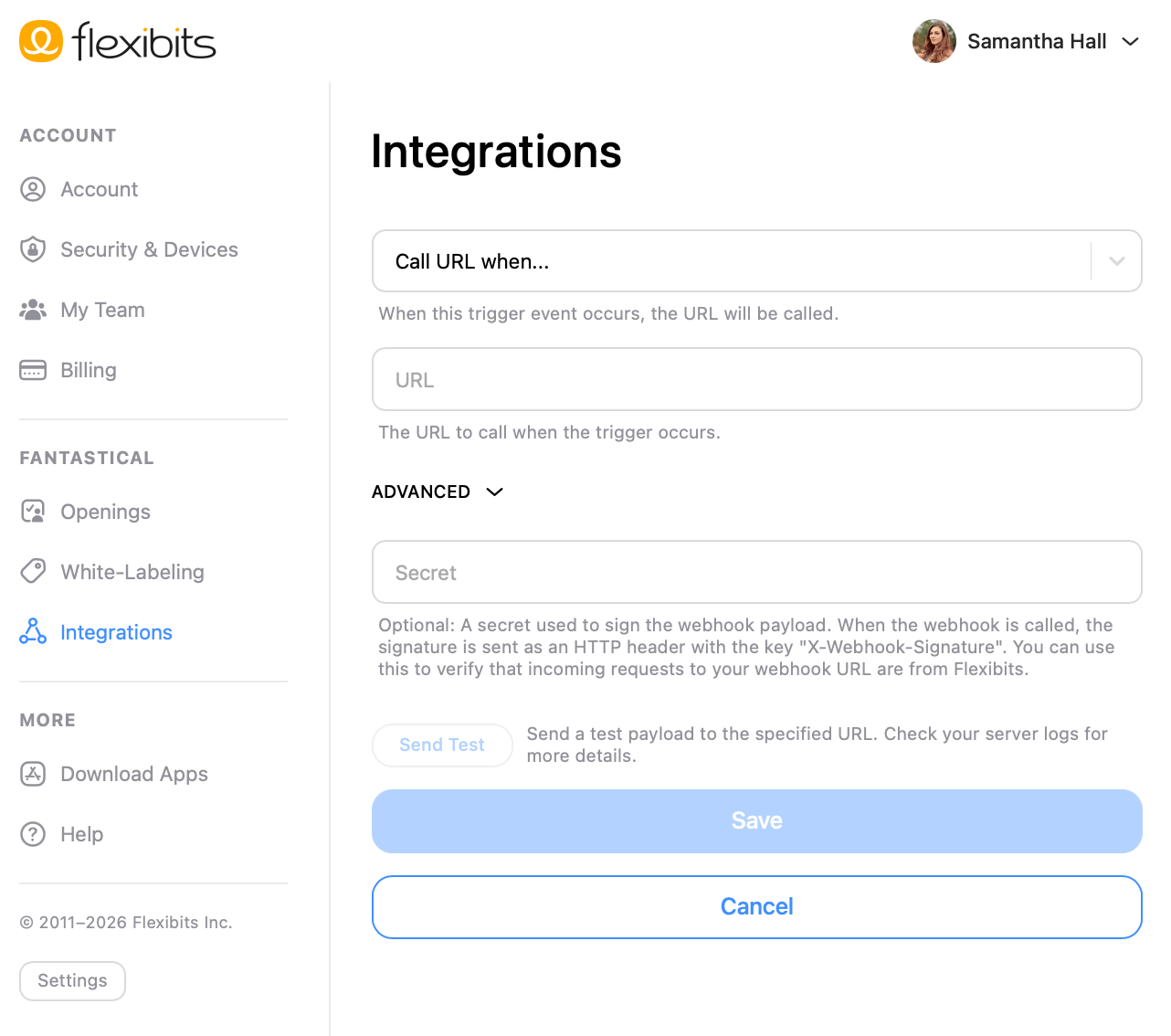
- Call URL when: Choose the trigger for your webhook.
- URL: Add the URL to call when the trigger occurs.
- Advanced: Select to add a secret that is used to sign the webhook payload.
- Send Test: Send a test payload to the specified URL.
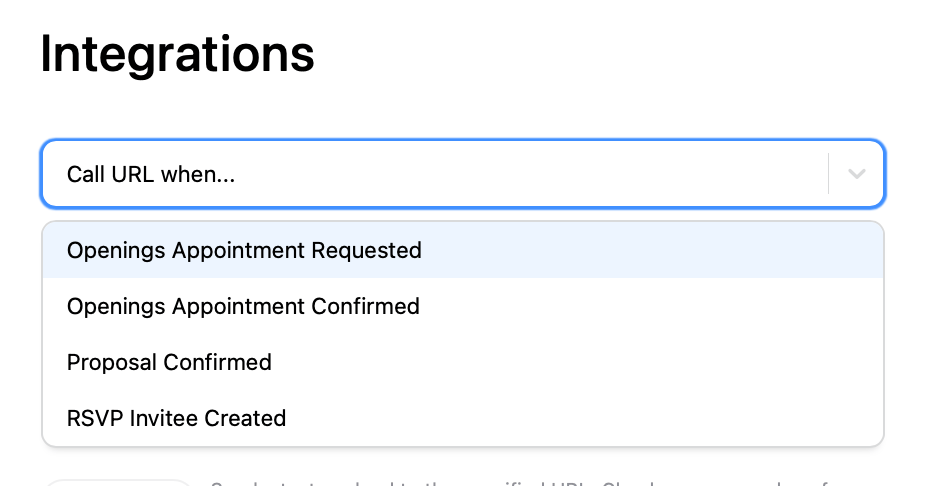
Fantastical currently offers four triggers to use with a webhook.
- Openings Appointment Requested: This triggers when someone requests an appointment in Openings. This will trigger immediately for both manual and automatic confirmations in Openings.
- Openings Appointment Confirmed: This triggers when an Openings appointment is confirmed. For manual confirmations, this is when the owner manually approves the request. For automatic confirmations, this is when the request is approved by Fantastical. If no version of Fantastical is currently running when using automatic confirmation, the Zap will be delayed until Fantastical is opened and the request is approved.
- Proposals Confirmed: This triggers when any Proposal is confirmed.
- RSVP Response: This triggers when an RSVP invitee responds.
When using the Openings Appointment Requested or Openings Appointment Confirmed triggers, you will also be able to set if the webhook applies to all meeting templates, or just a specific template.
For the RSVP Response trigger, you can choose to use all active RSVP invitations, or limit this to a specific invitation.

