
Let’s be honest: looking at a wall of gray and blue blocks on a Monday morning can feel a bit… uninspiring.

At Flexibits, we believe your schedule should look as vibrant as your life truly is, and that’s why we’re 🤩 about our latest feature: Emoji Tags!

❓Why Emojis? Because Context Matters

Sometimes, a meeting title doesn’t tell the whole story. Is it a “Quick Sync” ☕ or a “High-Stakes Presentation” 🚨?

With Emoji Tags, you can categorize your day at a glance, and benefit from:

  • Visual Shorthand: Instantly distinguish between deep work 🧠, fitness 🏃‍♀️, and social hangouts 🥂.
  • Better Organization: Search Fantastical by emoji to see exactly how much time you’re spending on specific types of events. ⏱️
  • Pure Fun: Let’s face it – a calendar full of icons is just more satisfying to look at. 🎉

🚀 How It Works

We’ve kept it simple so you can quickly tag an event and then get back to your day.
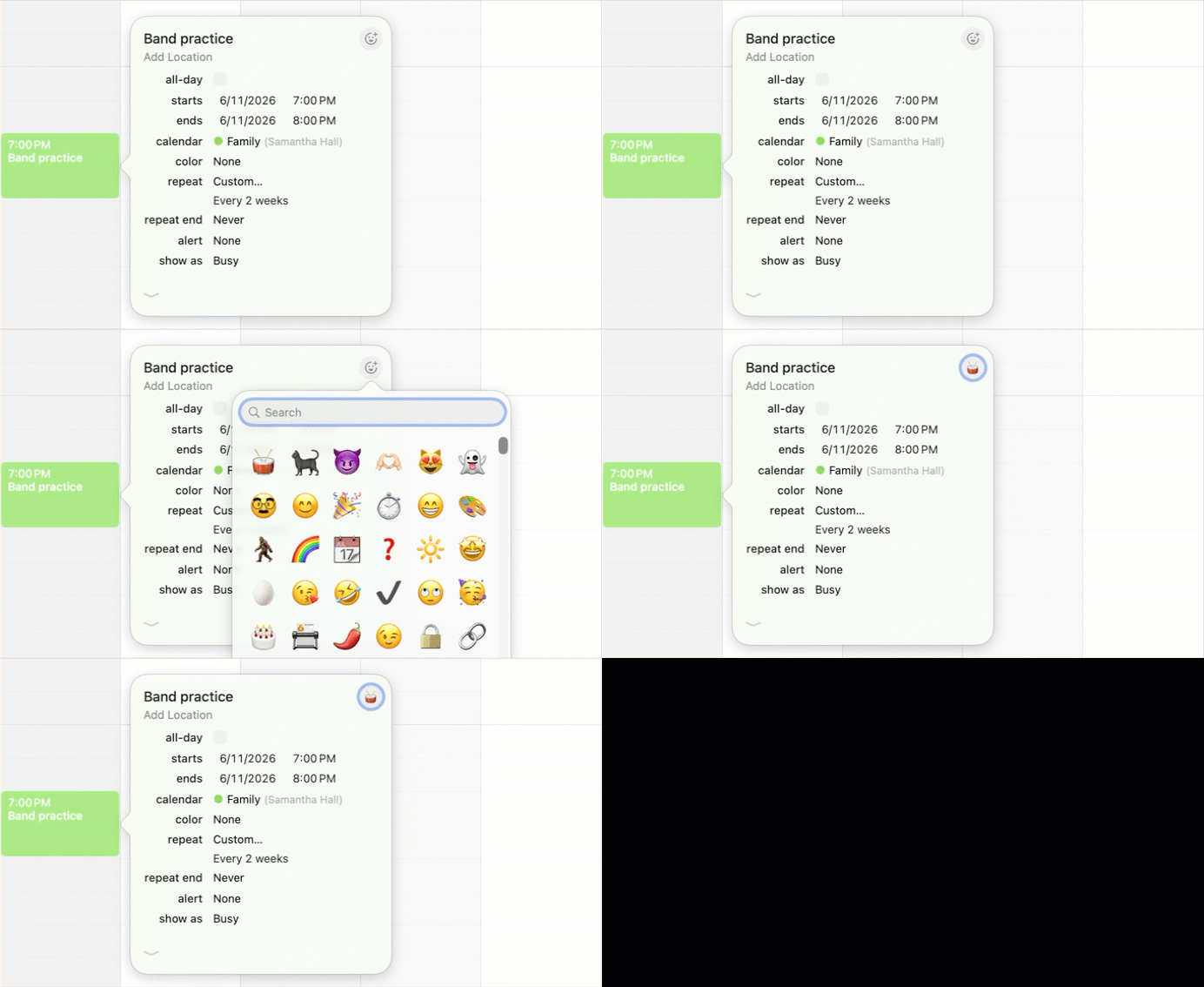
  1. Create or Edit: Open any event on your calendar.
  2. Tap the Icon: You’ll see a new emoji button to the right of the event title.
  3. Express Yourself: Choose from the full library of standard emojis.
  4. Save: Your event will now display the emoji in all Fantastical views on your devices only. They won’t be shared with anyone else, even if the event is on a shared calendar or there are invitees!

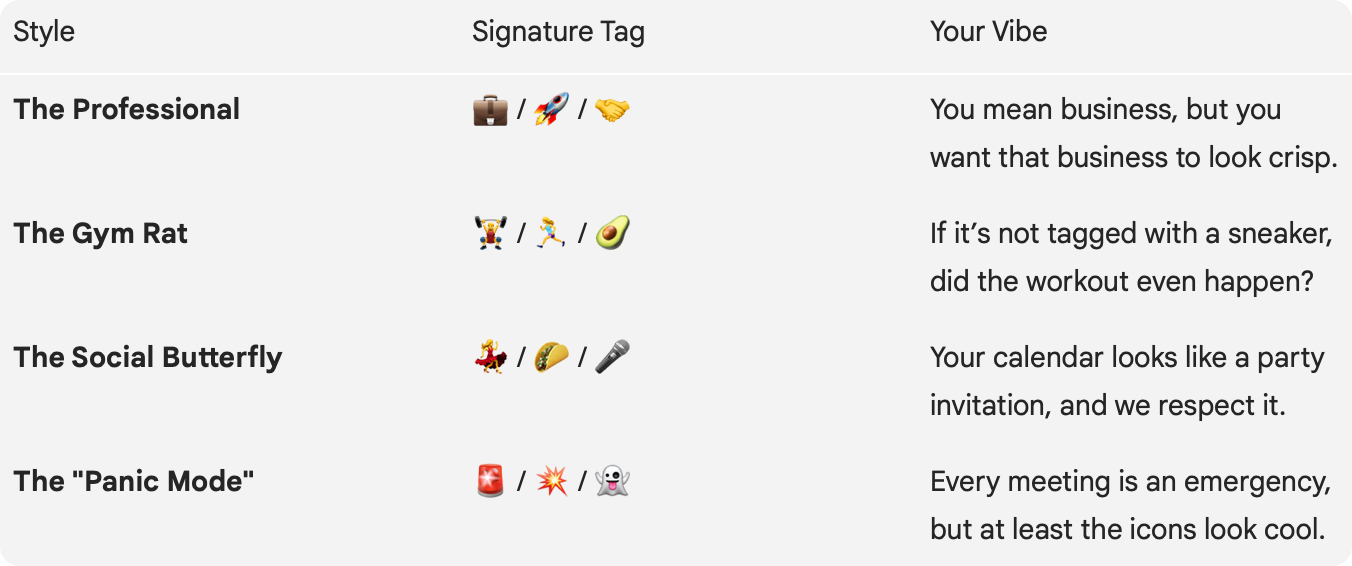
🎭 Which Cal-Identity Are You?

🔆 Ready to brighten up your schedule? 

The Emoji Tags feature is available now, so go ahead—drop a 🦄 onto that boring brainstorming session or a 🦖 onto that meeting that should have been an email. Your calendar is your world and it’s time to dress it up a little!

Happy tagging! 🎨