


 Watch the Video
New
for iPhone Duo
Your calendar, unfolded.
Made for both displays.
Made for both displays.








Personal vs. Family vs. Work vs. Kids vs. Side Hustle vs. Interviews/meetings/bookings. Fantastical is the only app that does it all. ... I’d be lost without Fantastical ❤️.
If you’re a small business owner with multiple calendars this is such a great way to consolidate them all in one place and be able to see your tasks at the top as well.
Fantastical ... gives me more flexibility to do what I want with my calendar instead of doing only what the calendar allowed me to do.
This one didn’t disappoint – I can finally, truly, have my calendar provider of choice synchronized across all my devices.
I needed a solution to view a combination of work and personal calendars simultaneously to better manage my daily life, and suffice it to say this product helps my life run. Period.
The design is clean, the layout is intuitive, and adding events feels effortless. I love how I can just type “Meeting with Ray at 3pm tomorrow” and it knows exactly what I mean.
This app is one of the best apps I’ve ever downloaded on my iPhone. It is so simple to use.
Use it every day of my life ... and honestly couldn’t function without such a straightforward app love love love it
I have been using Fantastical since it came out and I have nothing but praise for it. I can see all my calendars in one place and can integrate apps like Todoist to see everything at a glance. Very happy with the app. Highly recommended.
Not only does Fantastical work great with Exchange, but it provides views and features that I didn’t even know I wanted. Calendar Sets is awesome. Integration is also great, and everything works wonderfully across iPad, iPhone, and macOS.
This is the best calendar app there is – PERIOD.
I love the ability to create a calendar set with my work calendars on it, but the ability to switch quickly back to my home calendars when I am away from work is very cool.
Its functionality to extract event information from the title is unmatched.
Outlook integration / Teams / Zoom are all really nice. Syncing works well across my Macs and iPhone.
The intuitive interface and thoughtful affordances make it so quick to manage a busy schedule.





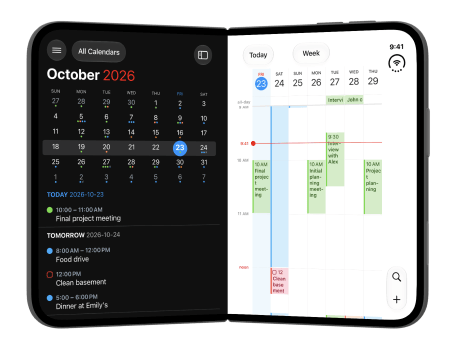






Fantastical Premium unlocks awesome new features and supports continued development of the best calendar app.
(Fantastical is) ... the only calendar app I need, offering more power and flexibility than any alternative from Apple or the App Store.
The interface of the apps, as usual from Flexibits, is exquisite.
Fantastical Premium is an app I can’t live without.
Fantastical is our pick for the best calendar app for iPhone and iPad, for Mac, and yes, even for Apple Watch.
You can throw all your other calendar apps in the trash.

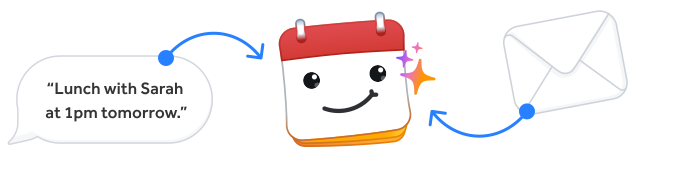
Add events or tasks in seconds by using natural language, like “Lunch with Sarah at 1pm tomorrow.” Alternatively, forward any event-related email to Fantastical and the built-in AI will extract the details and create an event for you.

Quickly upload files or images directly from Fantastical to your iCloud, Google, or Exchange events. Attachments are accessible across all devices that sync with your calendar accounts.

No matter what device you’re using, Fantastical will give you the view you want. See a quick overview of your calendar with the Fantastical DayTicker and Calendar views, and browse comprehensive full screen views of your day, week, month, quarter, or year when you need more (or less) detail.

Fantastical can create quick templates from existing events and tasks. Selecting a template will copy all of the details from the template into a new event or task instantly. Scheduling frequent events has never been this simple.

Design and complete your projects directly in Fantastical. Add tasks alongside calendar events and complete them when you’ve accomplished the task. Tasks notify you when they’re due, and overdue tasks carry over to future dates. You’ll never forget about a task again.
Also works with 

Fantastical is now available for Googlebook. Enjoy a desktop-class calendar with a beautiful full-size layout, powerful natural language input, and everything you love about Fantastical.
Support for Android phones, tablets, and foldables coming in 2027. Sign up to be notified.







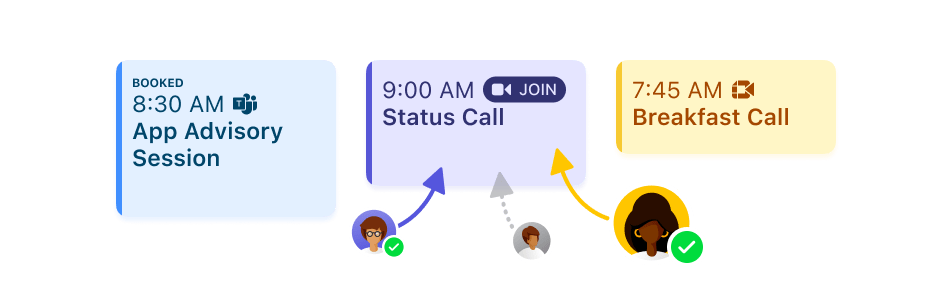

Invite others to your event with control over yes/no/maybe response types, number of participants, and registration deadlines.
Learn More

Set up the times you are available and share a link with others. They pick a date and time, and you are all set! Openings will automatically block out slots based on your existing calendar events.
Learn More

Fantastical lets you see your invitees’ availability and helps you find a time that works for everyone. Even better, you can send event proposals to your invitees with multiple times and dates.
Learn More
Fantastical Scheduling can automatically add a Google Meet, Zoom, Microsoft Teams, or Webex conference call to events others have scheduled with Openings. When creating your meeting template, just specify which conference call service you want to use and Fantastical will do the rest!


Fantastical’s automatic conference call link detection supports FaceTime (Apple platforms only), Zoom, Webex, Microsoft Teams, Google Meet, WhatsApp, GoToMeeting, RingCentral Meetings, Miro, Amazon Chime, Whereby, Lifesize, VooV, BigBlueButton, EightXEight, Jitsi Meet, Vidyo, Vonage, Doxy, SimplePractice, TheraNest, Dialpad Meetings (formerly UberConference), Gather, net2Phone Huddle, RiversideFM, CoScreen, 3CX, MiTeam Meetings, Yandex Telemost, Beacon, SecureVideo, Slack Huddle, PracticeBetter, Focusmate, Signal, Roam, PsychologyToday, and Granola.
Share your subscription with Flexibits Premium for Families or Teams. After you sign up, invite your family or team members to join and they will be able to use Flexibits Premium with their own private Flexibits Account.
For families up to 5.
For small and large teams.
Fantastical is designed with a privacy-first approach, which means it keeps as much private data on your device as possible. Your account’s password is stored securely on your device using the Keychain and never leaves your device. See our privacy policy for more details.
Privacy at Flexibits


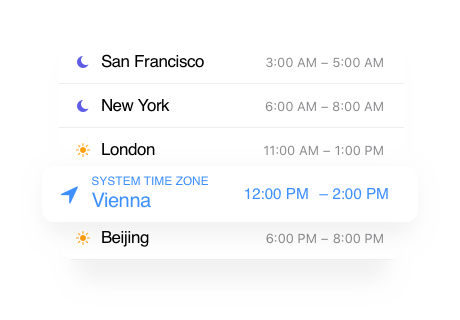
Choose the time zones that are relevant to you and easily see the converted time on Fantastical’s handy time zone card right in the event. Scheduling events in multiple time zones is now quick, easy, and helpful.

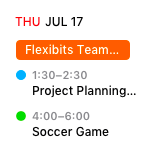
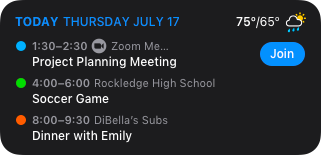
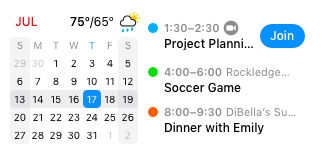
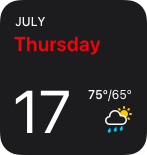
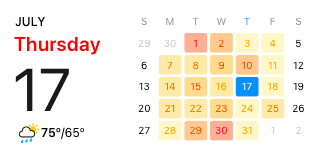
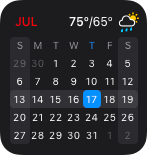
Quickly see your upcoming events, tasks, conference calls, weather, and more. Multiple small, medium, and large widgets help you stay organized even when you’re not using Fantastical directly.

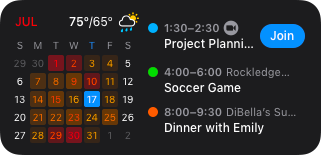


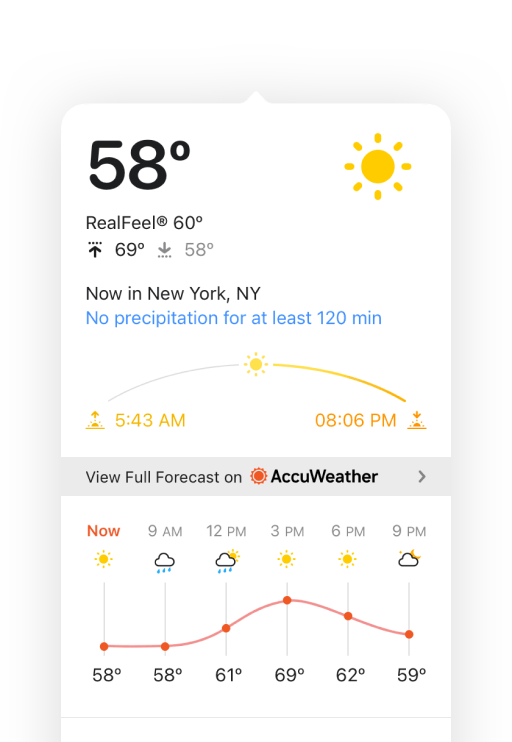
Fantastical integrates a detailed 10-day weather forecast directly into all calendar views, with further details on demand. Powered by AccuWeather, Fantastical’s forecasts are accurate to the minute and RealFeel will inform you of what temperature conditions actually feel like once other factors (humidity, cloud cover, wind chill, etc.) have been taken into consideration.
Sunrise and sunset times are also displayed so you can plan your day perfectly. Plus, events with locations will display the weather details for that specific location on the location map.


Browse, search, and instantly add new, up-to-date calendars for holidays of various countries, religions, or education systems. You can even add calendars for your favorite sports, TV shows, and much more... Get historical data and track your relevant upcoming events. It’s relevant content for your calendar and it’s never been this easy.

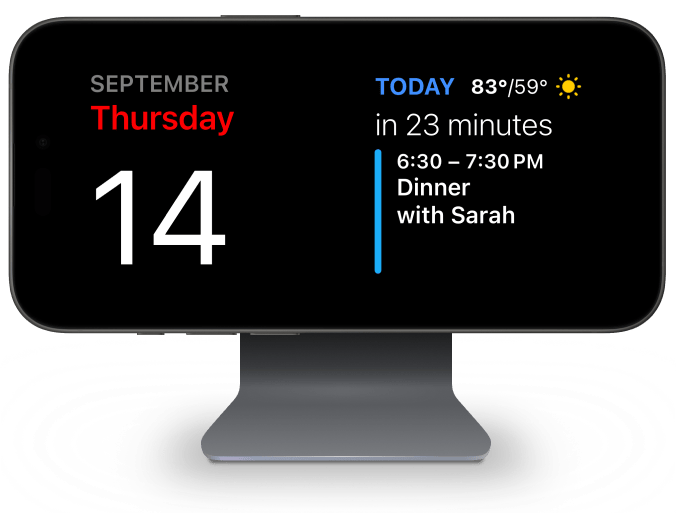
Lock your iPhone and turn it sideways while connected to power to have Fantastical display your choice of widgets: Icon, Date, Calendar, Up Next, or Event List.
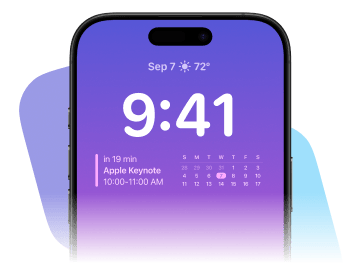
Quickly glance at your events directly on your Lock Screen with three widget options: Up Next, Calendar, and Quick Action.
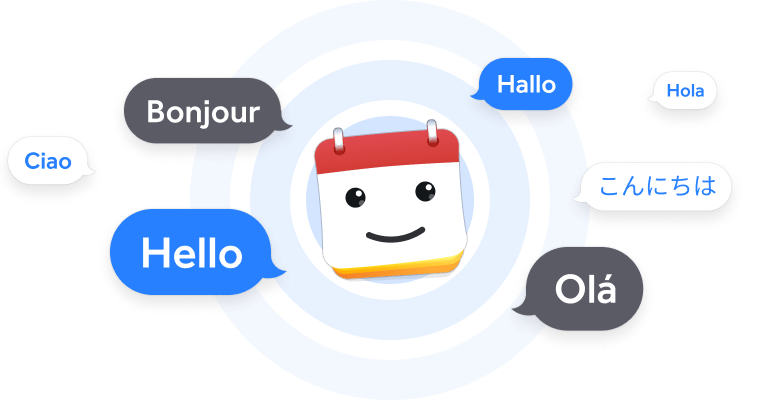
Fantastical is fully localized in English, French, German, Italian, Spanish, European Portuguese, Brazilian Portuguese, and Japanese. Simply enter your event or reminder in any of those languages and Fantastical will automatically understand. It’s magical.
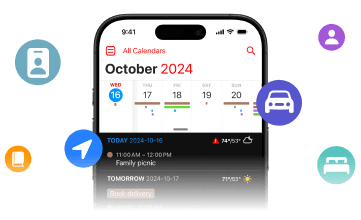
With Fantastical’s Calendar Sets and Focus Filters you will only see the events and tasks that currently matter. Enable your Work calendars when you arrive at the office, or get reminders to call your kids when you get into the car.
We use cookies and other technologies to analyze traffic and credit partners who have referred you to our website. With your consent, information such as cookies or click IDs are stored on your device. If you sign up, information may be transferred to our advertising partners. Your consent can be withdrawn at any time. You can read more about how we use cookies at our privacy policy.

