




 Watch the Video
New

for iPhone Duo
Your contacts, unfolded.
Made for both displays.
Made for both displays.






It excels at what it aims to do ... act on contacts with ease, like Fantastical does so with calendar events.
Simple, elegant and sophisticated – what more could one want.
A fine-looking Contacts replacement that can be used from the Menu Bar. What’s not to love?
...Cardhop has both removed stress and added capabilities to my communications workflow.
I use contacts from various sources and Carhop effectively manages relationships of contacts, groups, syncing, etc. Glad I found this app!
I also love that Cardhop allows for linking between cards (spouses, kids, etc.) which is something I’ve been waiting for since giving up my Palm device for an iPhone.
...Cardhop has made managing and interacting with contacts a breeze, primarily due to it’s nifty task bar interface which can be accessed with a shortcut and quickly navigated with natural language input.
I switched over to this after finding the stock Contacts app lacking. It has worked flawlessly.
This app is a lifesaver. Give it a shot. You will love it.
Fantastic app 😎👍🏻
I was not looking for a new contact app, but when I saw this was included with my Fantastical subscription, I thought, what the heck… WOW, this app is excellent!
This is one of those apps which is so solid, useful and feature-rich that it should absolutely be part of the system. By far the most useful contact manager I have used on iOS.



Cardhop effortlessly integrates with your device’s contact accounts, ensuring Cardhop is always up-to-date regardless of the device you’re currently using. Cardhop can also search for contacts on Google Contacts, Google Workspace, and Exchange Global Address List.


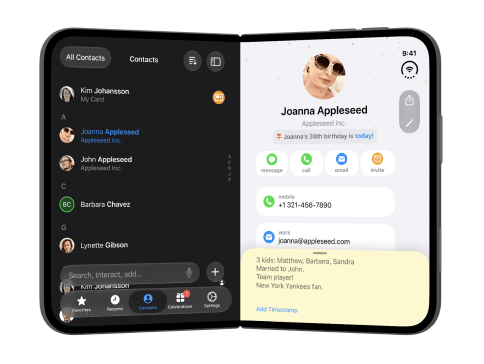






A smarter address book for your iPhone and iPad (and Mac), just like Apple should have made.
Cardhop offers natural language input to make it super quick and easy to add, edit, and work with your contacts.
There’s a ton to like here, and I haven’t even mentioned the customizable widgets or the ability to scan business cards to create a new contact.
…under the hood, there are some impressive changes that make the app even much more useful, whilst still keeping it simple and easy to use.
(Cardhop’s) parser is great for looking up or adding contacts, or adding information to an existing contact.
Cardhop is a clever take on contact management… It lets you search, add, and edit contacts much more efficiently.

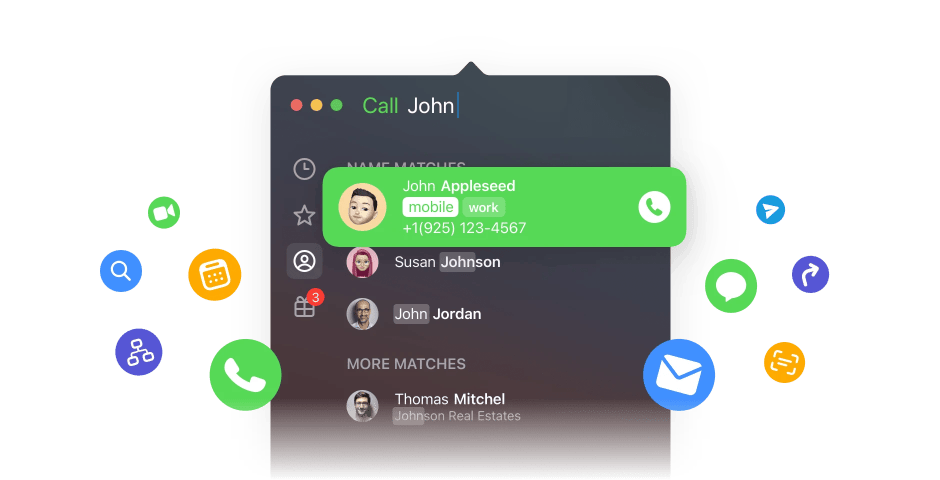

Instantly find who you’re looking for by typing a contact’s name or details.

Add new contacts or edit existing contacts with unparalleled ease and simplicity. Just enter the name of the contact along with the new details and Cardhop will do the rest.

Interacting with contacts used to require multiple steps to accomplish what you want. After using Cardhop, you’ll wonder how you ever managed before.

Save time with group actions: invite multiple people to a meeting, quickly email to your entire team, or message to your family in one simple action.

Make calls from Cardhop using macOS Continuity and Wi-Fi Calling, or your phone’s Bluetooth connection. Enter a name or number and place your call directly from Cardhop.

Print customized envelopes, labels, and lists of contacts.

Cardhop can change themes automatically with your device’s system settings. Or you can choose exactly how Cardhop will appear regardless of the system setting.
Keep in touch like never before. Make phone calls, send messages, view relationships, and do more in a spatial environment. Contact management has never been so futuristic!



Save time with group actions: invite multiple people to a meeting, quickly email to your entire team, or message to your family in one simple action.

Customize multiple contacts and actions to your exact liking. Interacting with your contacts has never been this easy... or fast!









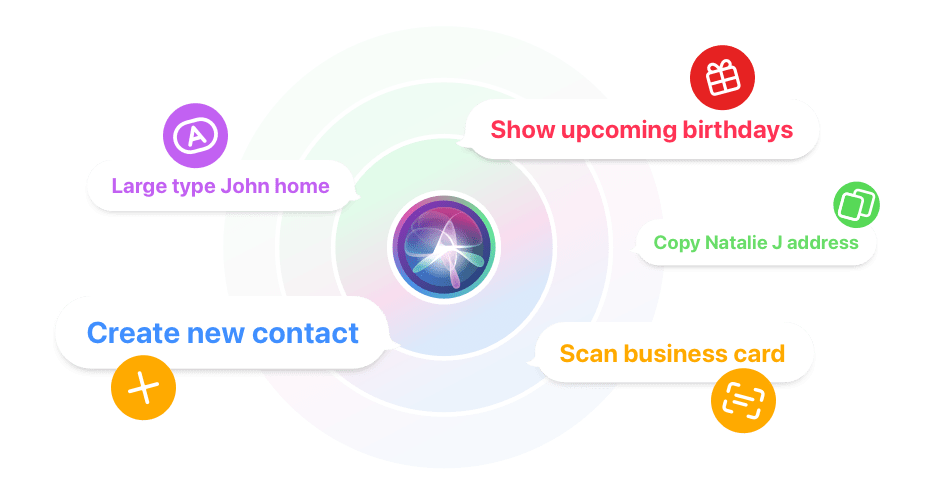
Cardhop has full support for the Shortcuts app, allowing you to set up simple or complex shortcuts and automations. Just say the word and Siri will run a shortcut for you.
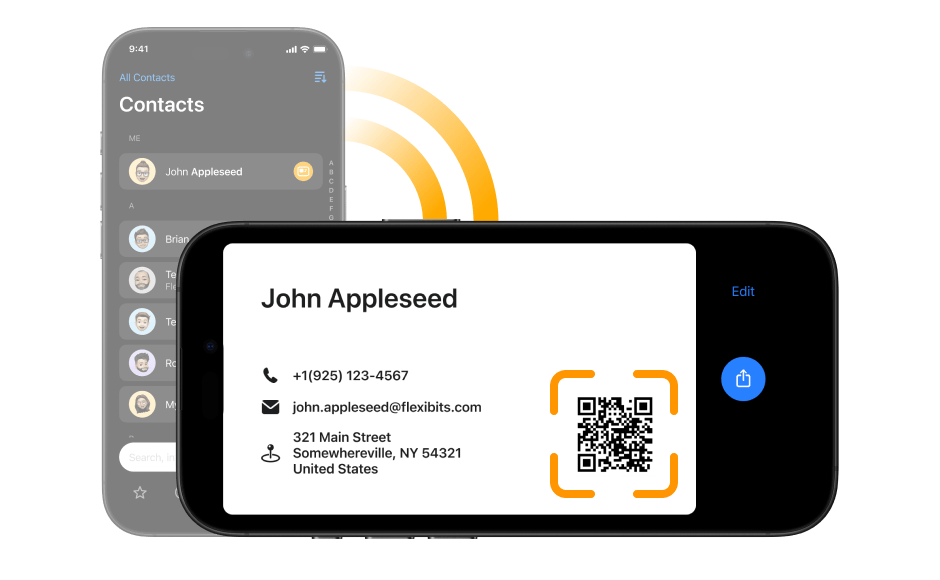
Cardhop makes it easy to share select info of your own contact card with others. Simply rotate your iPhone and share your card either via default sharing options or simply by scanning the provided QR code.
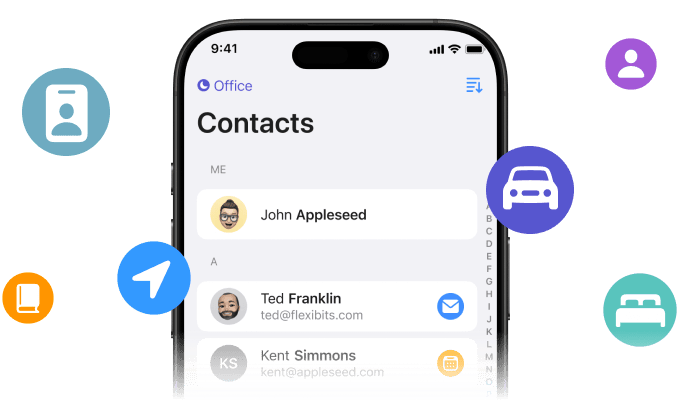
With Cardhop’s Focus Filtering you just see the contacts that currently matter. Browse and act on your business contacts when you arrive at the office, and see your friends and family members when you drive back home. (iOS 16 / Ventura or later)
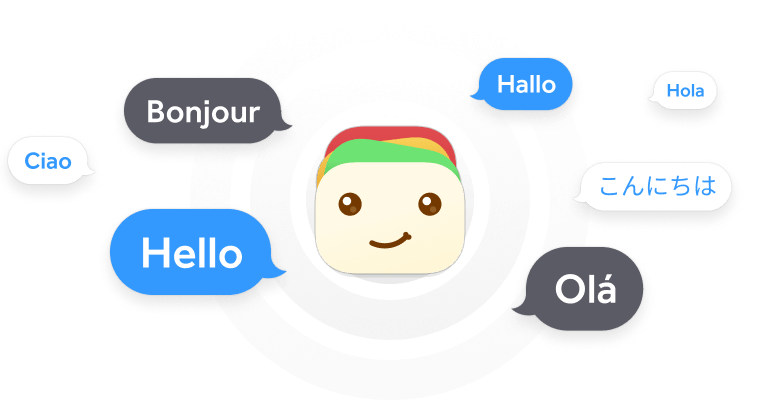
Cardhop is fully localized in English, French, German, Italian, Spanish, European Portuguese, Brazilian Portuguese, and Japanese. Just enter your contact details using natural language and Cardhop will automatically understand.


Cardhop’s notes section lets you jot down miscellaneous details about a contact. Use this section to keep track of important details, and use the timestamp button to log a history of your updates or interactions.






Your contacts are stored on your device and are not sent anywhere else. Your account’s password is stored securely on your device using the Keychain. See our privacy policy for more details.
Privacy at Flexibits
Share your subscription with Flexibits Premium for Families or Teams. After you sign up, invite your family or team members to join and they will be able to use Flexibits Premium with their own private Flexibits Account.
For families up to 5.
For small and large teams.

We use cookies and other technologies to analyze traffic and credit partners who have referred you to our website. With your consent, information such as cookies or click IDs are stored on your device. If you sign up, information may be transferred to our advertising partners. Your consent can be withdrawn at any time. You can read more about how we use cookies at our privacy policy.
