Share this article





The NFL playoffs have kicked off with an amazing slate of games, and the 2026 MLB season is soon to be in full swing (pun intended)!
For those of us who hate having our favorite games spoiled before we have a chance to watch them, Fantastical’s Interesting Calendars provides the ability to automatically hide the results of games that have already been played.
You won’t need to cancel your date night now that your NFL team beat the odds and advanced to the next round — simply enable this option in Fantastical, and you can catch up on the game after dinner and a movie.
Setting this up only takes a couple of quick steps, starting with heading to Fantastical > Settings > Calendars & Lists.
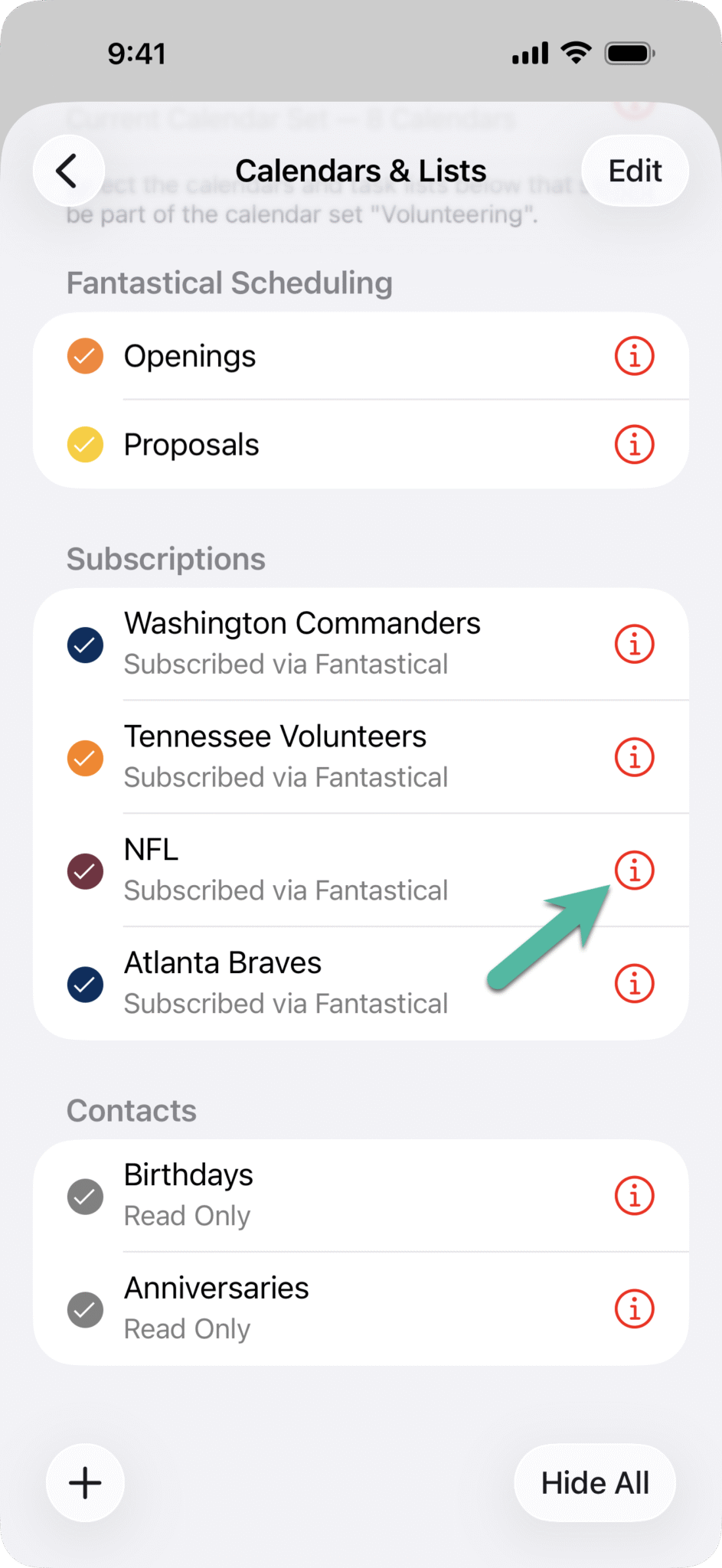
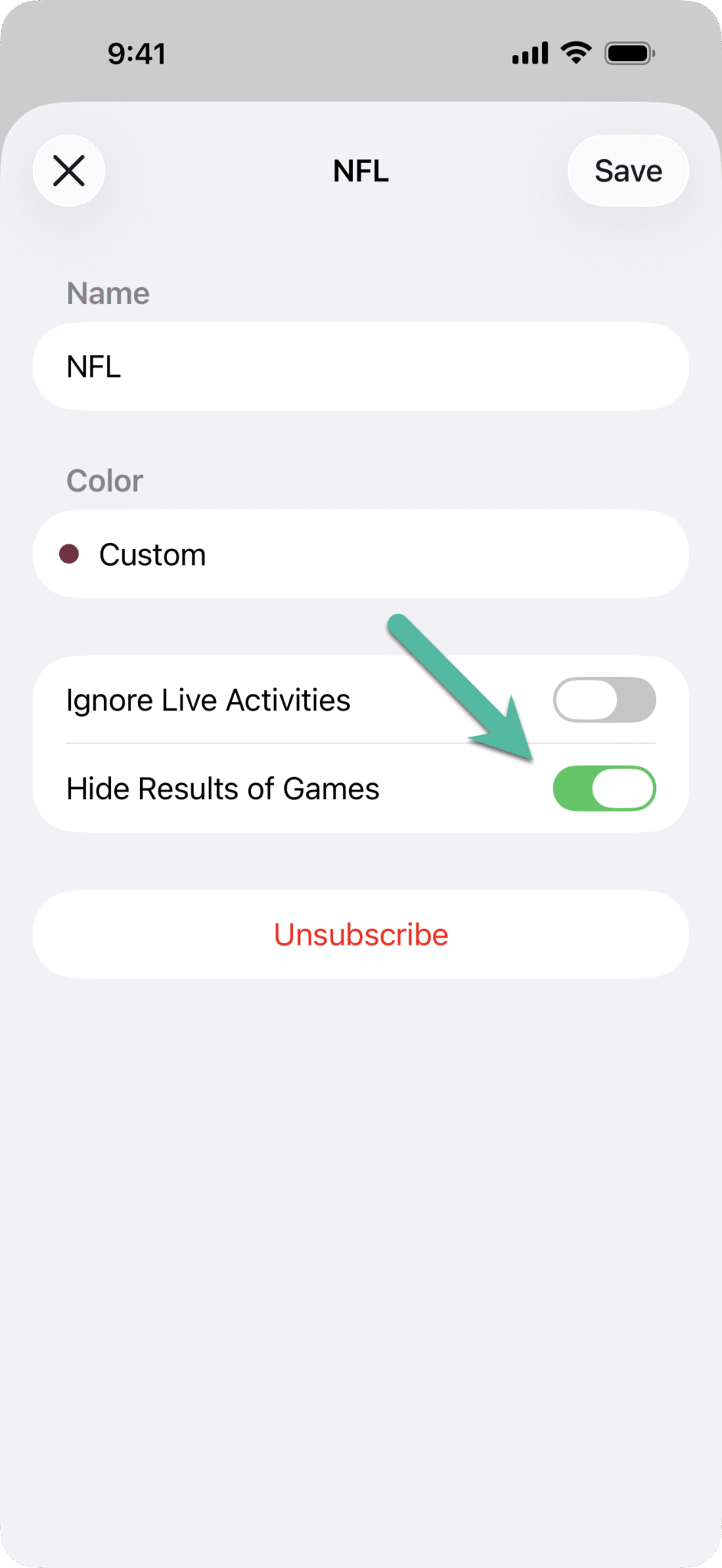
While this is an excellent option for weekends where you’re out and about, it truly shines for games that are played during the work week. That’s right; it’s time to talk baseball!
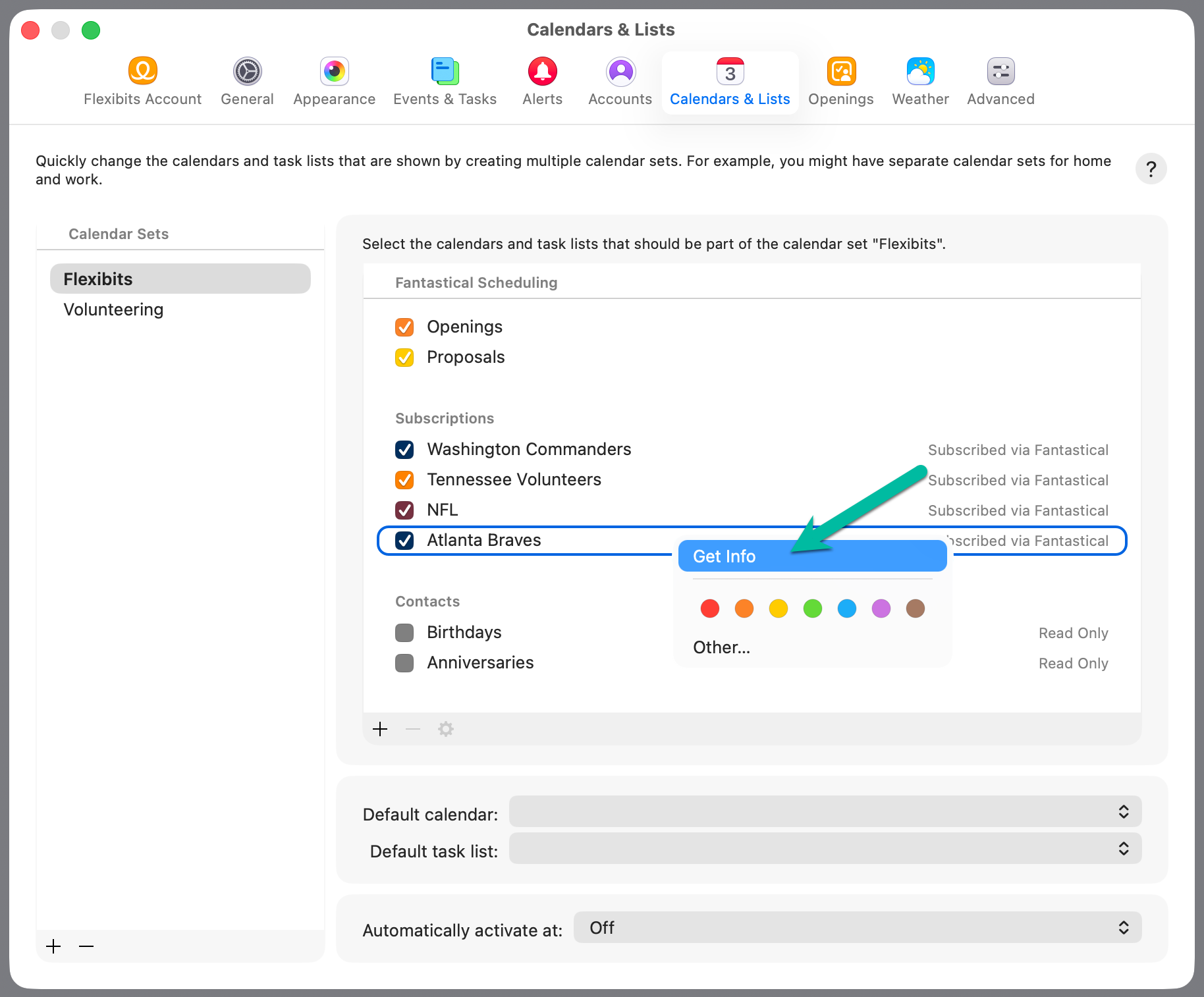
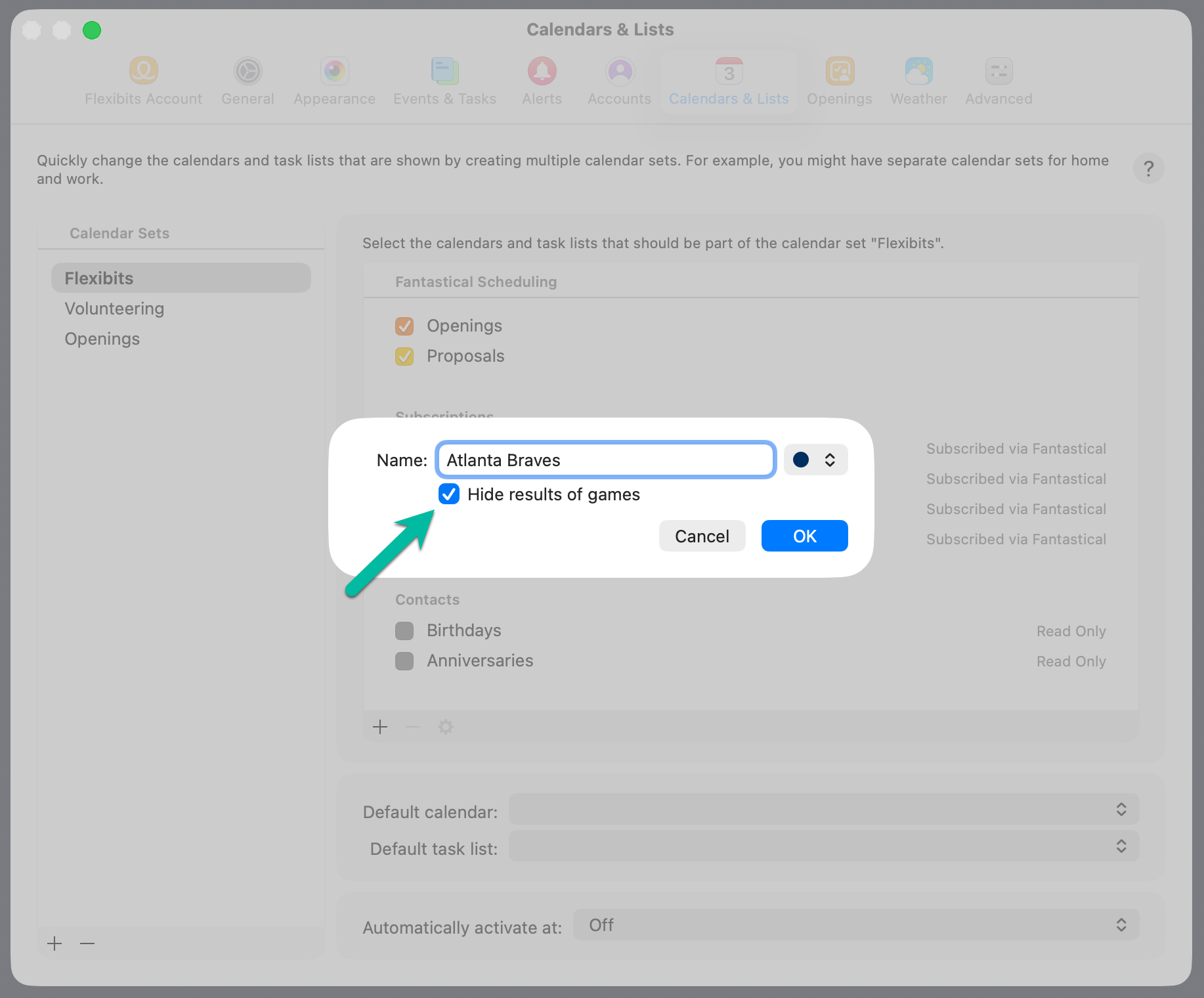
With this feature enabled, you won’t have to worry about seeing spoilers from your favorite MLB games during the season’s chaotic schedule – from doubleheaders to international exhibition games, we’ve got you covered. Enabling this on the Mac is just as easy as iOS. Head to Fantastical > Settings > Calendars & Lists, right click on your Interesting Calendar name and select “Get Info”, then enable the option to “Hide results of games”.
Speaking of international games, baseball is seeing a surge of popularity on a global scale, with players like Kona Takahashi drawing eyes from all over the world.
Don’t forget, with Interesting Calendars it’s easier than ever to keep up with your favorite players and teams no matter where they are located, with access to subscription sports calendars from across the planet that can be easily added in Fantastical!
We’ve only touched one of Fantastical’s numerous features in this post. If you’d like to learn about other great features, please check out our help guides, contact our excellent Support Team, or stay tuned for a new blog post!