Share this article





They say fifteen is a tough age—lots of growing pains, a few identity crises, and probably some questionable fashion choices…
But as we blow out 15 candles on our digital birthday cake, we’ve realized we’re feeling pretty good!
Fantastical has grown from a simple idea to a full-blown productivity powerhouse, and we couldn’t have done it without a community that’s as obsessed with organization as we are. 😁
So, grab a slice of virtual cake and join us on a trip down memory lane as we look back at how far Fantastical (and Flexibits) has come!
Believe it or not, Fantastical started as an app that lived in the menu bar on the Mac.
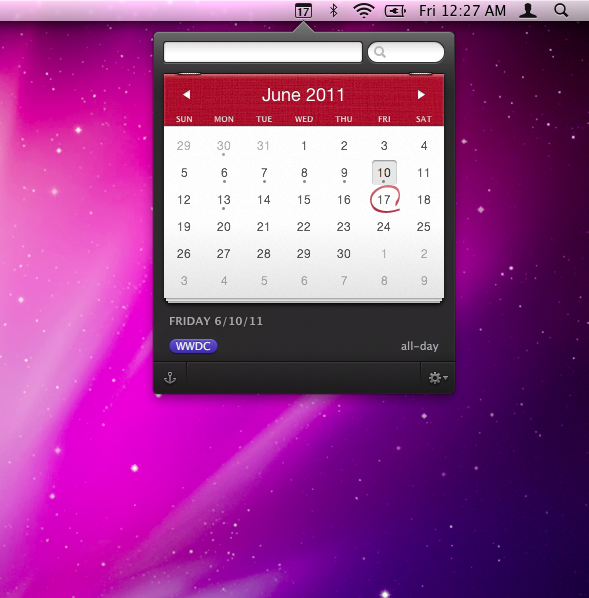
It provided a way to quickly add events and tasks to your calendar using the revolutionary Fantastical natural language parser, and was the only way to access Fantastical for over a year! 😱
The Mac app was a hit, and it didn’t take long for customers to start letting us know they wanted Fantastical for iOS, so we got back to work.
It took a bit of time (a year and a half, but who’s counting) to make sure we had something that would set us apart from the iOS Calendar app, and when we came up with the DayTicker, we knew the time was right!
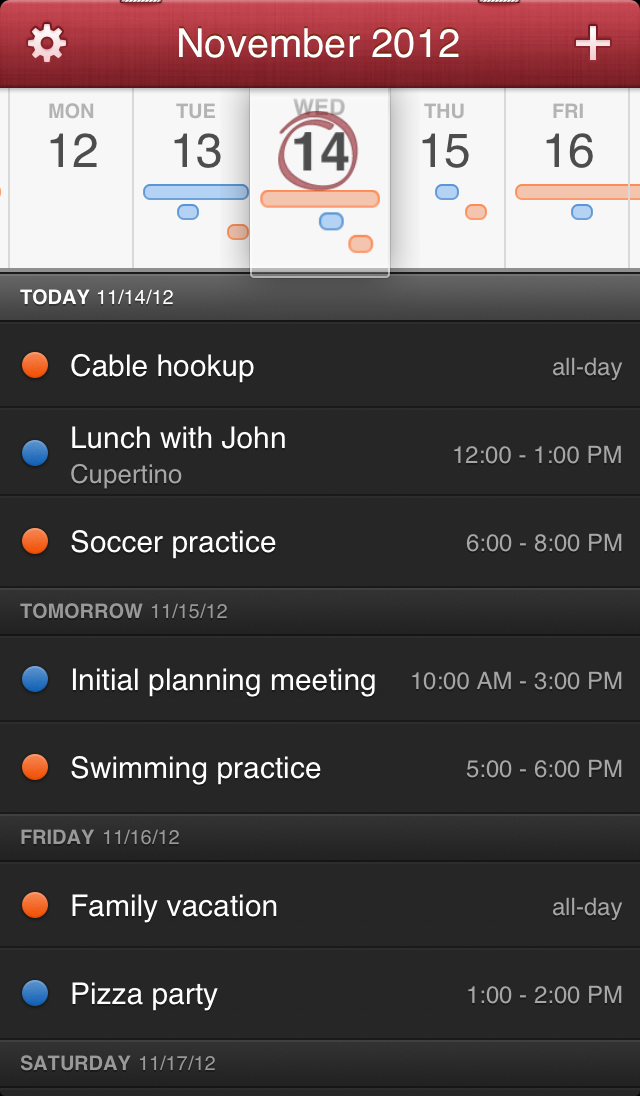
We launched Fantastical for the iPhone in November 2012 giving you access to Fantastical on the go. 📱
With Fantastical on both platforms, we settled in and dedicated our time to improving the apps with features such as default alarms, specifying a calendar for events in the parser, and better time zone support.
Then Apple announced iOS 7 and we had to reevaluate.
With the release of iOS 7 we knew it was time to up our game. Instead of just releasing a new update for Fantastical 1 on the iPhone, we went back to the drawing board and Fantastical 2 was born.
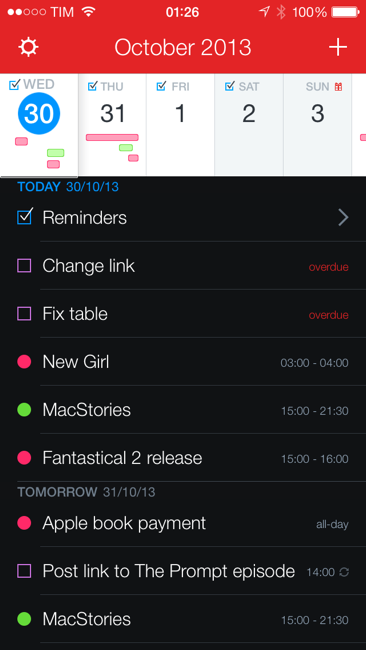
While we did brighten up the design just a bit, our major focus was on adding and improving features including (but not limited to):
But we didn’t stop there! Our original plan was to release Fantastical 1 on the iPad until Apple threw out the iOS 7 curveball and that project was put on hold as we switched gears to Fantastical 2 iOS until…
Our most request app at the time finally made its appearance with all the power, functionality, and intuitiveness of Fantastical 2 for the iPhone, along with a brand-new user interface designed specifically for the iPad. (That’s right, we didn’t just port over the iPhone version and call it a day!)
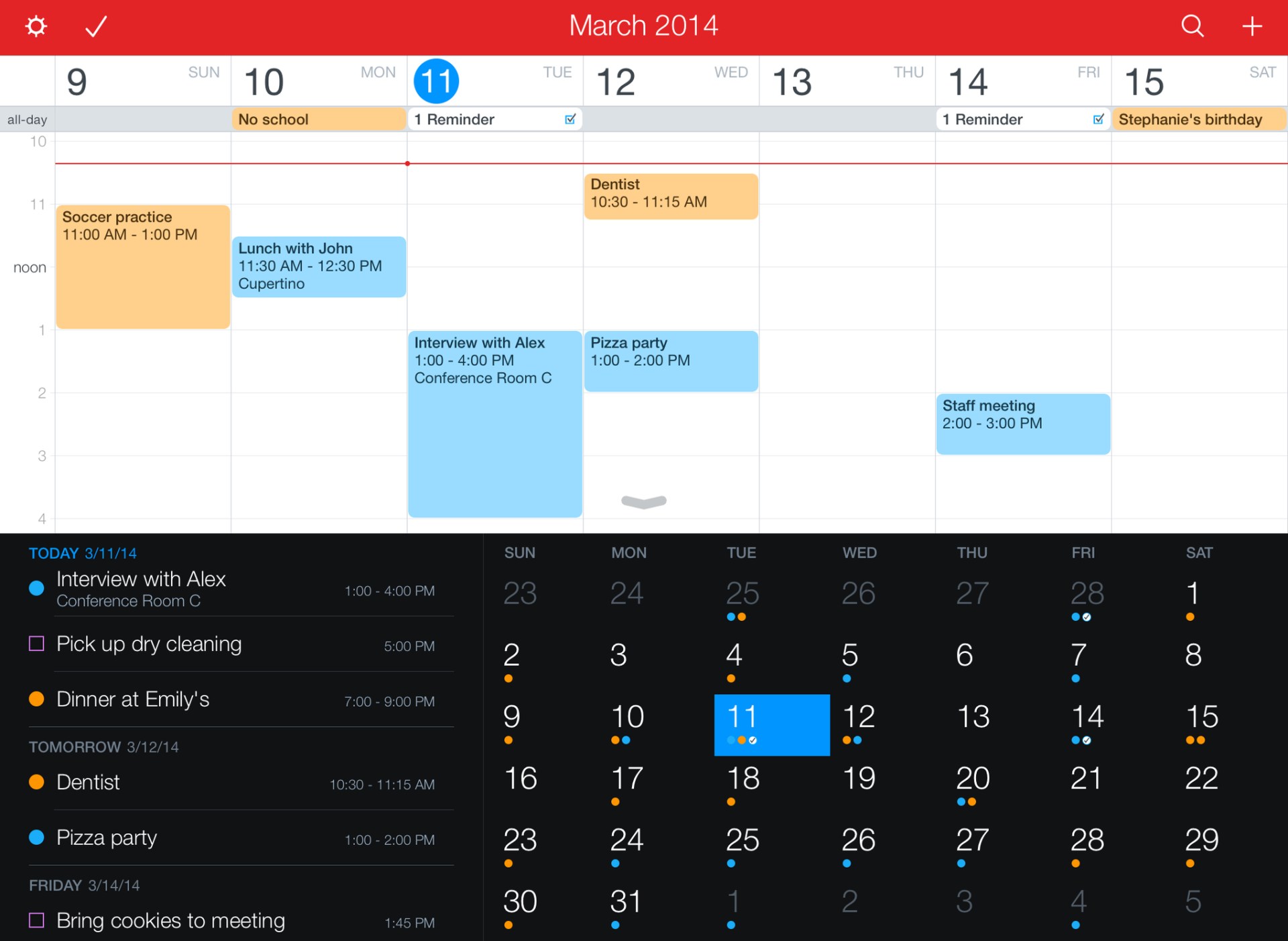
We added a detailed week view, and full calendar mode to complement the DayTicker view from iOS, along with support for Apple Pencil and a keyboard, making it even easier to manage your schedule in Fantastical.
Then Apple introduced iOS 8, which introduced a Fantastical Today widget, app extensions, and interactive notifications in Fantastical 2.2 on both devices! 🔊
We never forgot about the app that started it all though, so 4 years after its original release we knew it was time.
Using everything we learned from creating Fantastical 2 for iPhone and iPad, we took Fantastical Mac from a menu bar companion app to a full-blown calendar app with an entirely new interface. 🤯
We kept the Mini Window in the menu bar (with a little glow up) but also added a full screen main app with 4 calendar views, a dedicated task view, Calendar Sets, and so much more!
For the next 5 years, we focused on making Fantastical the world’s best calendar app across all Apple devices.
We added support for the Apple Watch, including brand new complications, and features on the iPhone and iPad like:
On the Mac, we had some small updates where we added items such as:
Along with some big updates with options including:
Oh, and we snuck in a contacts app while we were at it. 😉

Then everything changed…
This was big (like really big) and we knew it would be controversial (newsflash, it was!), but in January 2020 we unveiled Fantastical 3 and our new Flexibits Premium model.
With 4 new apps and feature parity on every platform, Fantastical 3 was the culmination of 10 years of dreams and hard work. Full screen modes were added to the iPhone and iPad, Calendar Sets started syncing across devices, Proposals could be scheduled automatically, and oh yeah, we moved to a subscription instead of a one time purchase.
While Fantastical 2 users kept access to their previous features in the new apps, Fantastical 3 added the first ever free version of Fantastical along with the premium version that unlocked all new features going forward.
While our announcement was a huge deal for us, it paled in comparison to what was happening worldwide. By March 2020 COVID-19 was declared a pandemic and widespread lockdowns immediately changed the way people worked.
Social distancing made working from home more prevalent, with conference calls being the new office meetings, so we pivoted our roadmap to embrace options that would benefit our new way of life.
Starting with Fantastical 3.1, we added (among other things) support for multiple conference call services, automatic link detection with a Join button allowing you to join your call directly from your calendar, and timed Calendar Sets that activated at a specific time of day.
We spent the rest of 2020 refining and improving the apps and were thrilled when we received an important call from Apple!
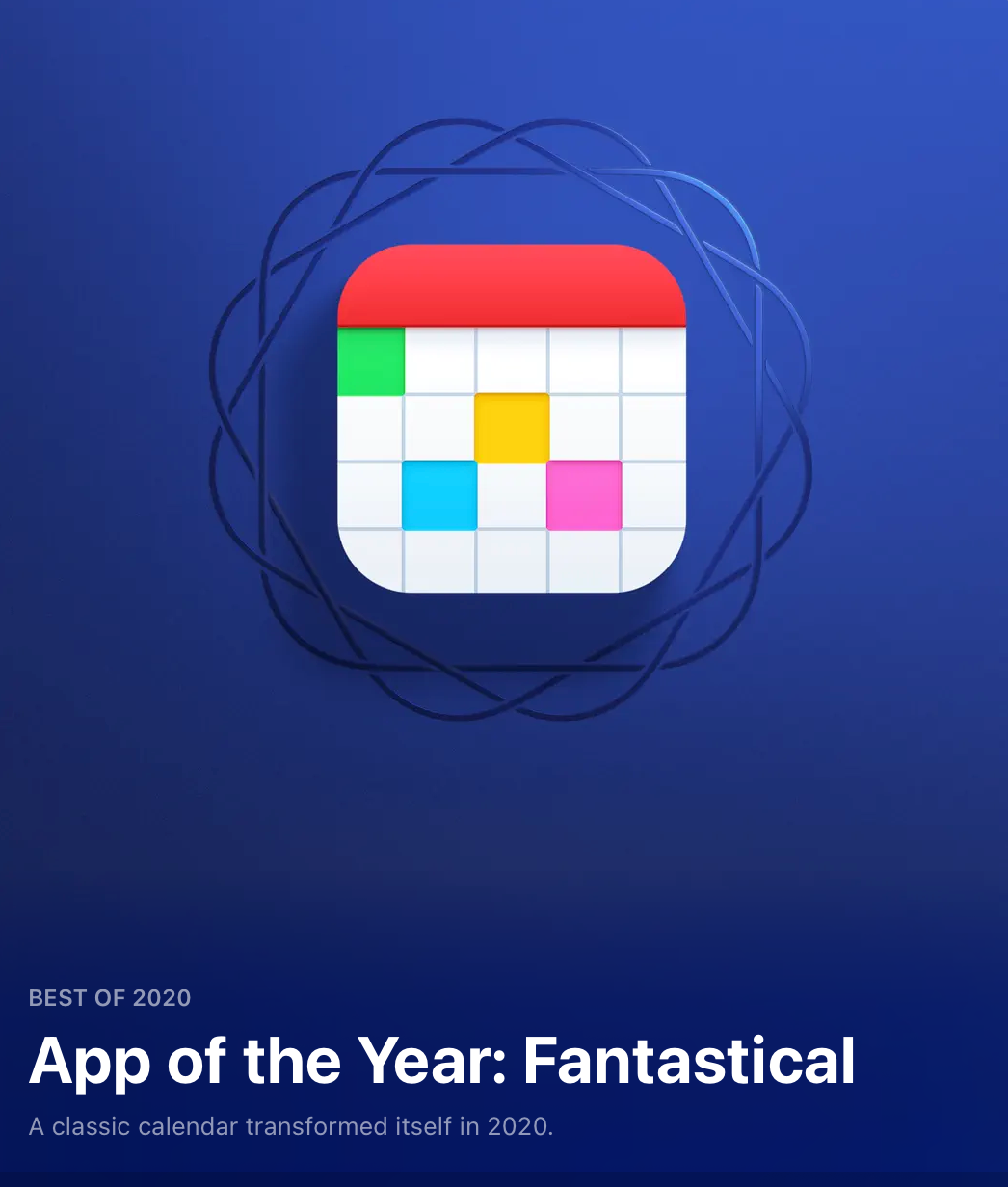
We were honored to be chosen as the Mac App of the Year by Apple for 2020 and doubled down on making Fantastical EVEN better going forward.
Over the next 3 years, we devoted our time to optimizing your calendaring (and contact) needs with additions such as:
Along with two new additions to the Flexibits family: Fantastical for Apple Vision Pro and Cardhop for Apple Vision Pro.

But wait, there’s more!
Remember when we said Fantastical for iPad was our most requested app back in 2014? That was nothing compared to the overwhelming number of requests our support team received asking when we were bringing Fantastical to the PC!
With the release of Fantastical 4.0, we finally brought everyone’s favorite calendar app to Windows, giving you access to all of your favorite features (the Fantastical parser, the Mini Window, Calendar Sets, and so much more) on the PC, with no extra purchases required.
Fantastical had grown from a simple Mac menu bar app to a family of apps spanning multiple devices, with a mind blowing list of features! We could have stopped there, with a solid app that our customers love, but what fun would that be?
(Spoiler: The answer is “No fun at all”)
We wanted more.
Over the past year we’ve settled in to expand on existing features, along with adding new ones, making scheduling a breeze.
Managing your events became even easier with our Forward emails to Fantastical feature, and the Fantastical Connector (MCP) for Claude.
Fantastical Scheduling added white-labeling for a personalized touch on your Openings, Proposals, and RSVPs
While Urgent Alarms for iOS make sure you never miss a meeting, and our new Liquid Glass design gives both Fantastical and Cardhop a fresh new look.
Not to mention our most recent update, 4.1.12, that allows you to spice up your calendar by adding emoji badges to events in Fantastical. 🌶️
We’re not slowing down now!
We’ve got big plans in store for Fantastical and we can’t wait to share them with you… but we learned our lesson a long time ago about early announcements, so you’ll just have to stick around to find out what we’ll think of next! 😉