




Fantastical MCP Server (in app)
The Fantastical MCP server is also available directly in app (starting in version 4.1.17) for use with ChatGPT and similar programs.
To activate the Fantastical MCP server in ChatGPT:
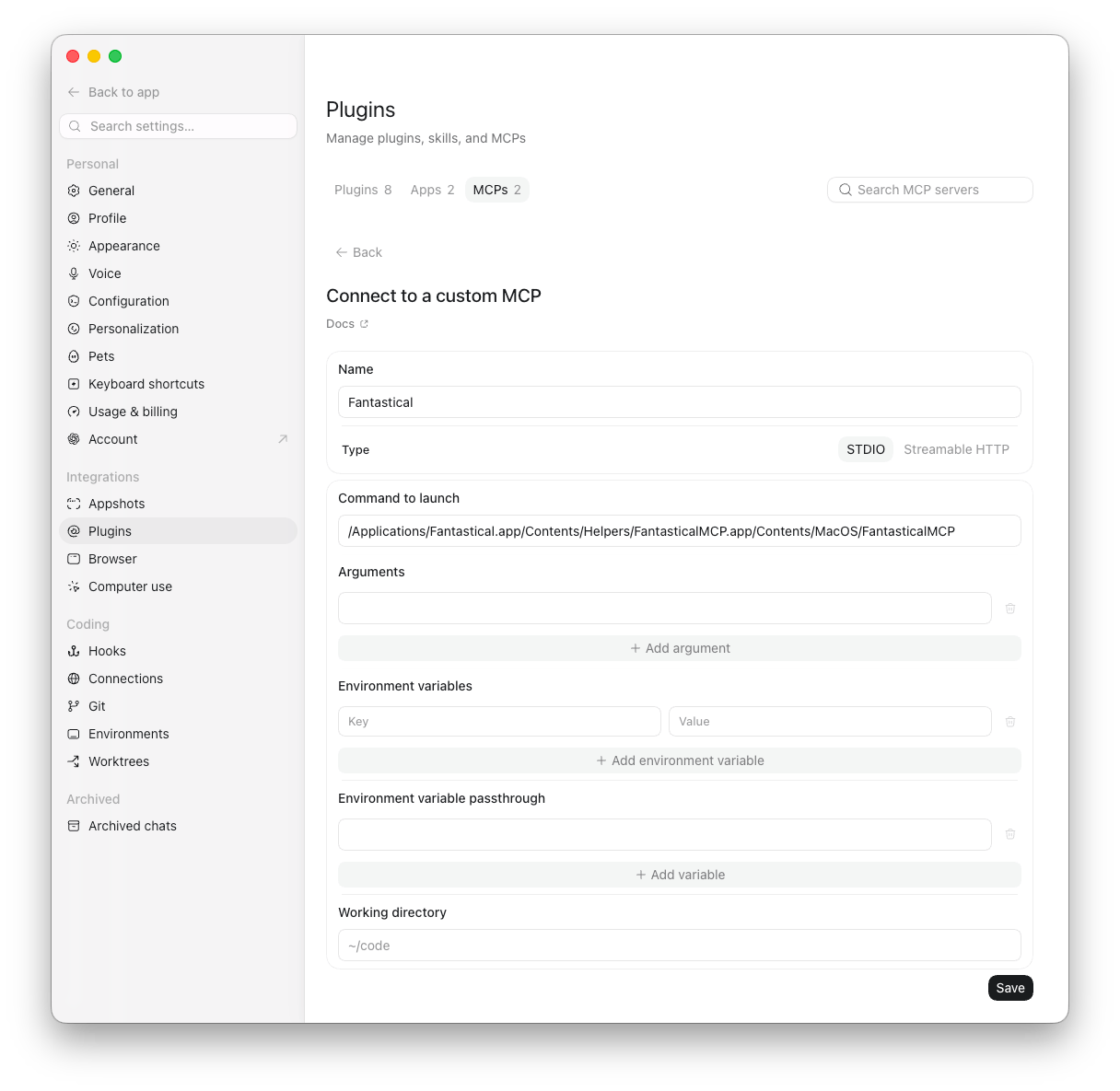
- Open ChatGPT > Settings
- Select the option for Plugins
- Select the option for MCPs
- Select + Add server
- Name the MCP Fantastical
- Enter the following path as the Command to launch:
/Applications/Fantastical.app/Contents/Helpers/FantasticalMCP.app/Contents/MacOS/FantasticalMCP
Note: We always recommend that you have Fantastical installed in the Applications folder on the Mac, but if it is installed in a different location the above path needs to match that location.

