




Microsoft Teams Integration
Starting in Fantastical version 4.1.10, if you have a professional or school Microsoft 365 account, you can choose to add a Teams meeting to events on calendar accounts other than Microsoft.
Adding your Microsoft account
Add your Microsoft account by opening Fantastical’s Settings, clicking Accounts, clicking the plus button, then selecting Microsoft 365. Sign in to your Microsoft account and it will appear in Fantastical’s list of accounts.
Enable the Teams option
After your Microsoft 365 account has been added, in the account details enable the option to Allow creating Microsoft Teams meetings on other accounts
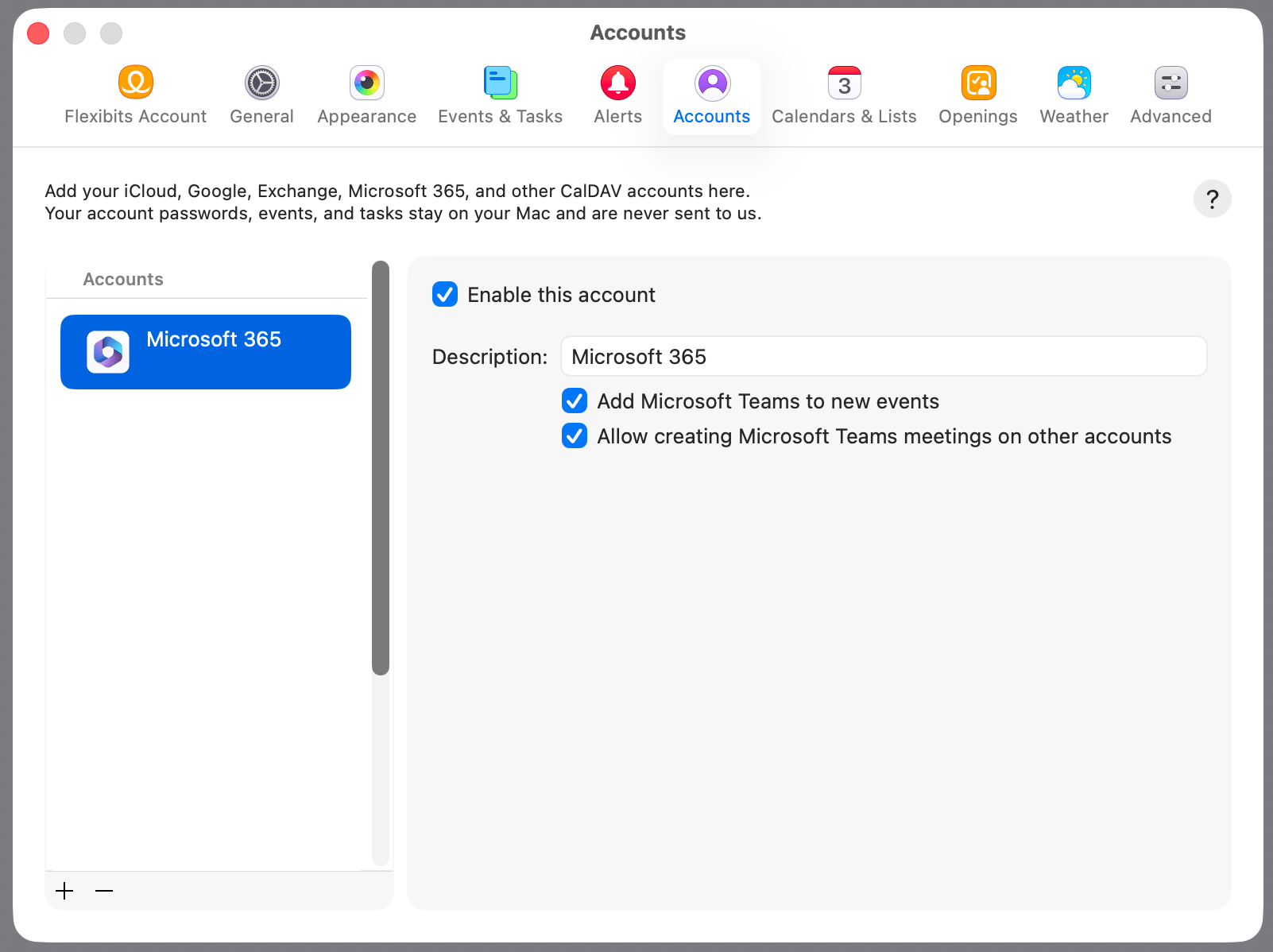
Once enabled, you can add a Team meeting to events created on non-Microsoft accounts. Click on the show details button when creating or editing an event, check the checkbox for Microsoft Teams Meeting, and confirm your settings. The Teams meeting info will automatically be added to the event’s notes.
Need to remove a Teams meeting that you already created? Uncheck the checkbox for Microsoft Teams Meeting, then close the event to save the changes.

